Download Mizu
Already bought? Your key is in the email from Mizu.
The first time you open it
Three steps, once.
Mizu is sold directly, not through the App Store, so macOS asks you to confirm it the first time. After that it opens like any app, and updates install themselves.
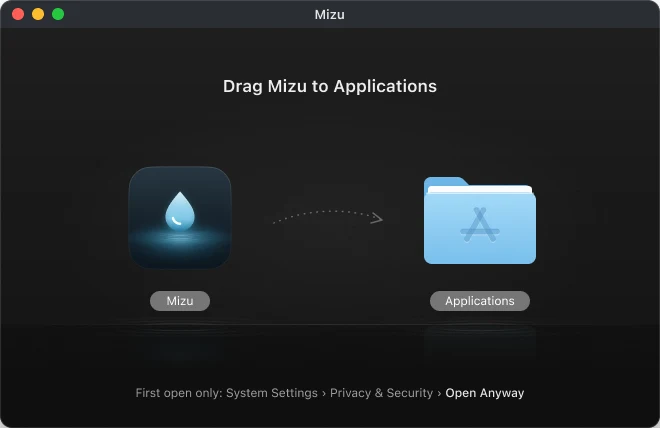
Drag Mizu to Applications
Open Mizu.dmg and drag the drop onto the Applications folder.
Screenshot · macOS 26 “Mizu Not Opened” alert
Captured on a real Mac in plan E
Open Mizu, then click Done
macOS says it can’t verify Mizu. That’s expected for apps sold outside the App Store.
Screenshot · System Settings › Privacy & Security › Open Anyway
Captured on a real Mac in plan E
Click Open Anyway
In System Settings › Privacy & Security, click Open Anyway and enter your password. Mizu opens.
Your licence’s version
Updates ended? Get the last version your key covers.
Every version released during your update year is yours to keep. Enter your key and we’ll serve the right one.